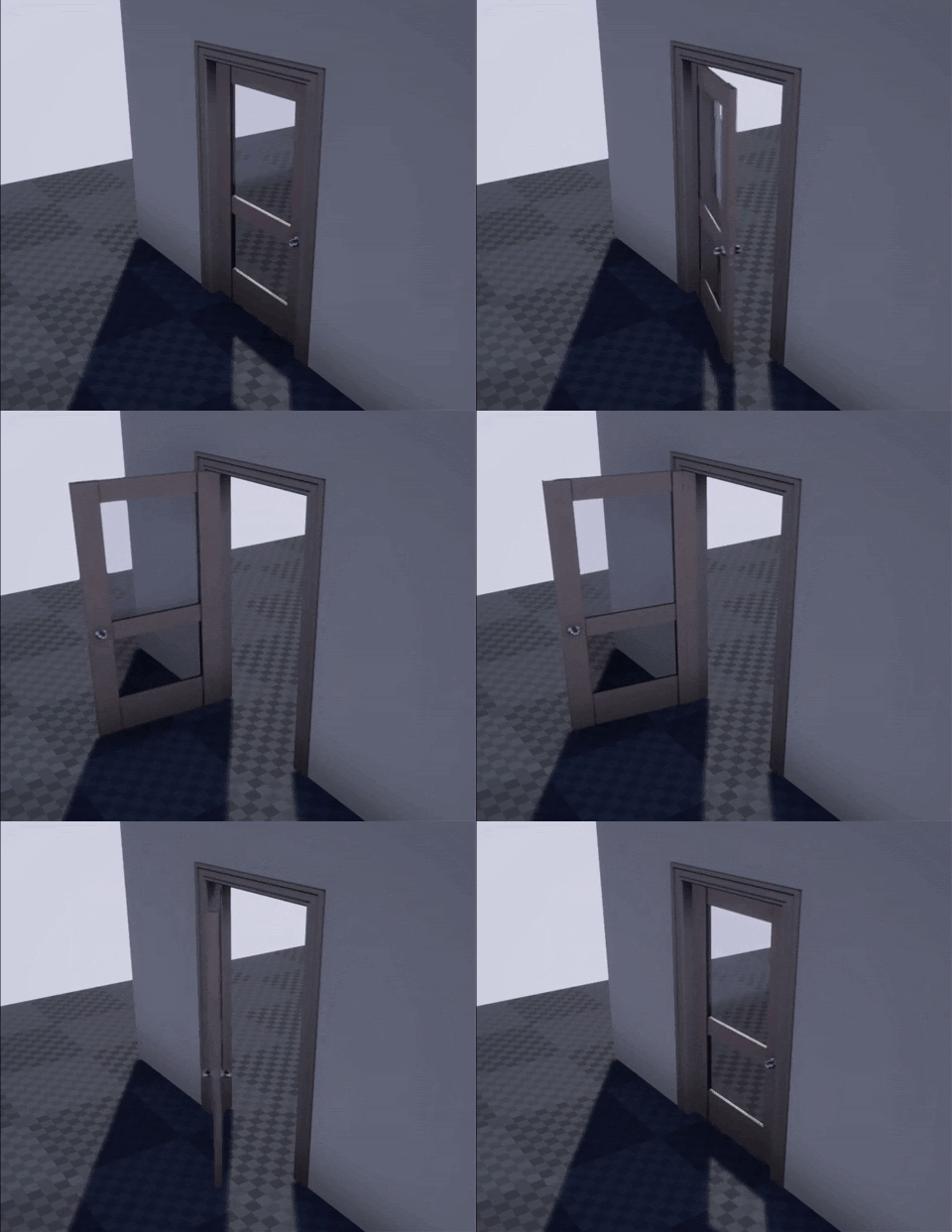
TimeLine is a function that gives us a way to use the “time” component in our code, for example, in opening and closing a door or light change and the placement of actors on the map. Later in this lesson, we will see more uses.
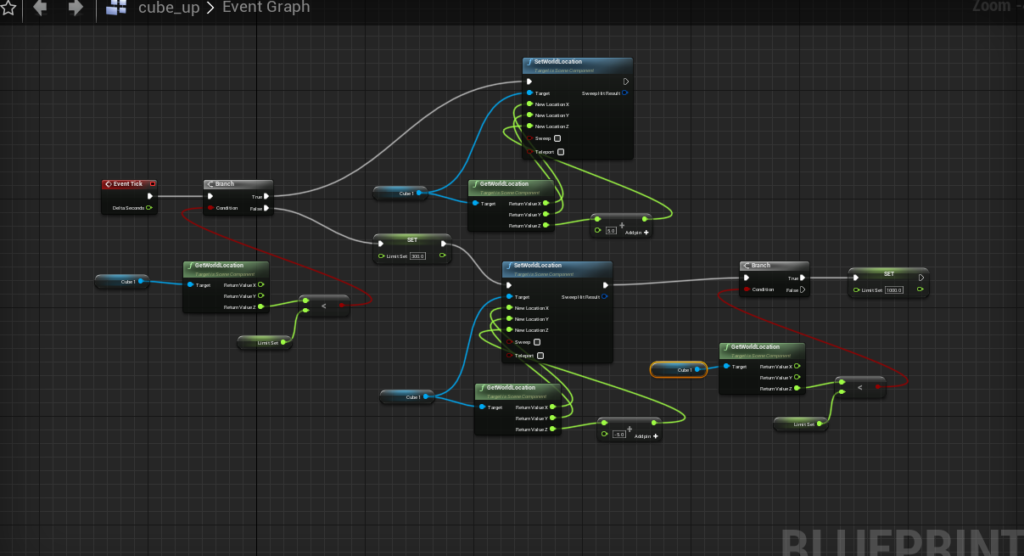
Comment: TimeLine can be used to simplify and shorten the code. An example for this can be seen in the next image, where we move a cube up and down without the use of TimeLine:
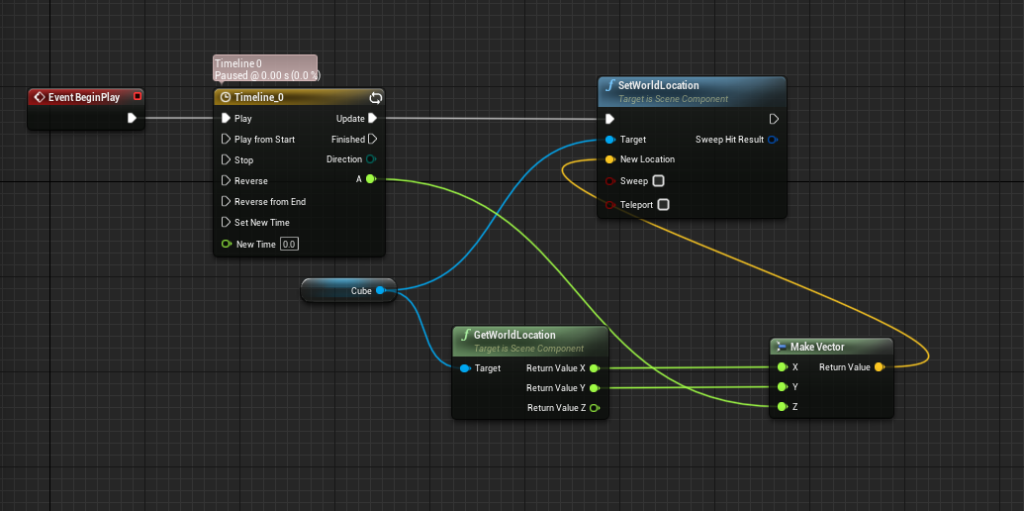
And with TimeLine:
We can see that the same action is done much more simply and effectively
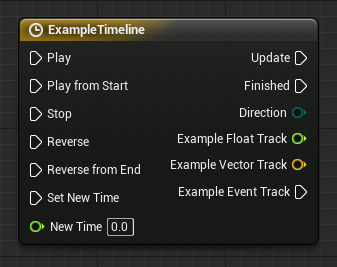
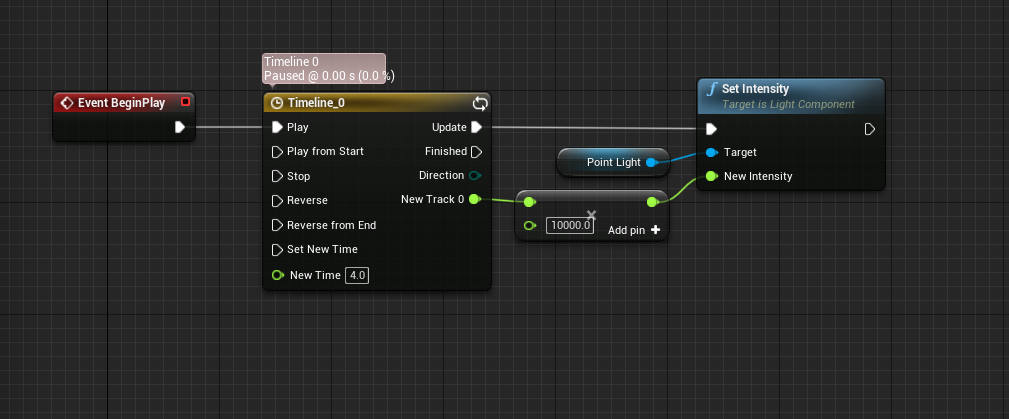
An example of the TimeLine function and its uses:
Description of the actions in the function in short:
Play – the TimeLine is activated from the current point in time Play from Start – the TimeLine is started from its starting point (Time = 0) Stop – stops the TimeLine in its current point in time. Reverse – works like Play, but in reverse Reverse from End – The TimeLine is activated from end to start Update – the output at any frame while the TimeLine is running Finished – the output after the TimeLine finished running (for example, making a sound once the door closes)
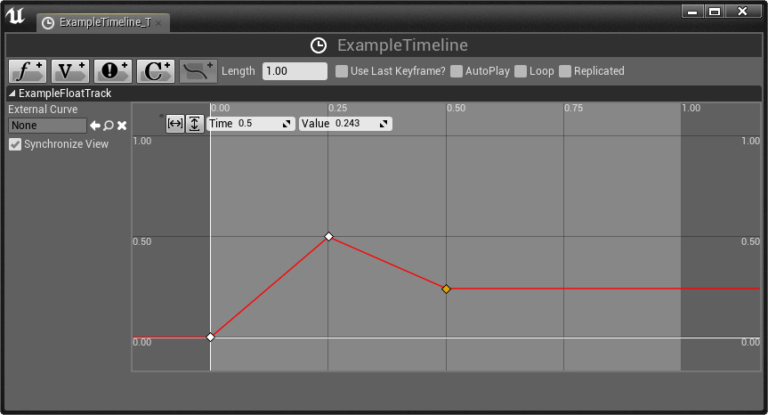
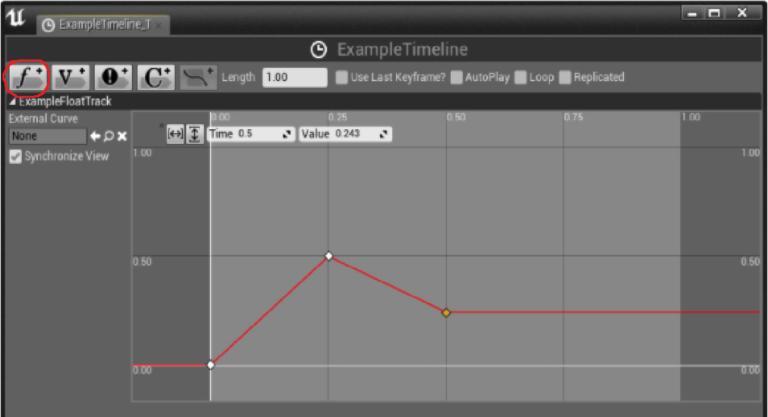
In the TimeLine, there are several graphs of different kinds which allow visual presentation of the values changes in the graph. To edit the graphs, you can double click on the function. Here is an example of the different types of graphs:
The float function is the main function we focus on, and it adds a graph which causes changes in the float values
The main options in the graph are:
Time – marking the time at any point on the graph Value – the value at any point in the time line Length – allows setting the time range for the operation of the graph Loop – when turned on, it causes the animation of the TimeLine to repeat.
Here are several more examples of TimeLine uses, like a flickering light bulb: o
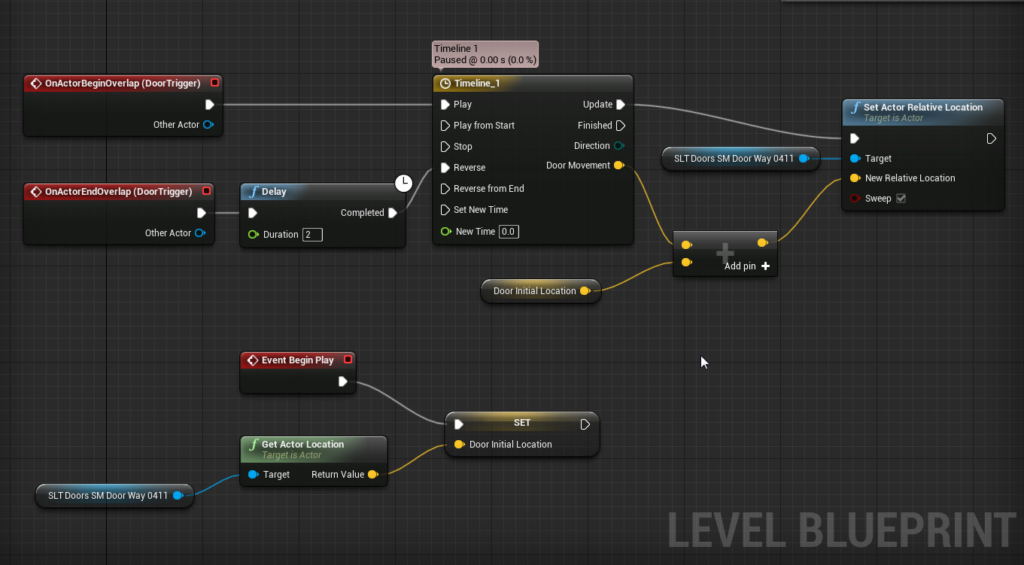
Or a door which opens when entering an area (begin overlap) and closes when exiting (end overlap) Like in the gif in the beginning of the article:
TimeLine has many more options in game development in addition to those presented here, and you can learn them in future lessons. Good luck! 😃